
Watch the video tutorial on YouTube
- Forum link should be clicked on the course page to access the forum. Note : Students cannot reply to "News Forum".
- To answer a discussion, the topic of the discussion should be clicked. (Figure 1).
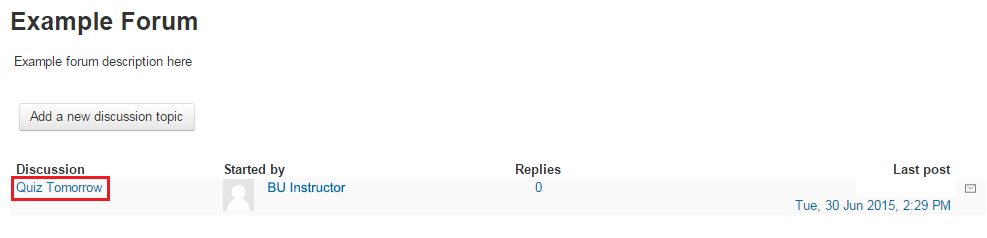 Figure 1
 - “Reply” link, which is on the lower right of the discussion box, should be clicked to write an answer. (Figure 2).
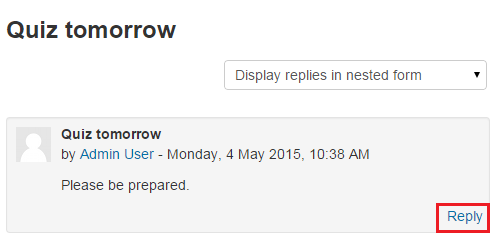 Figure 2
 - On the next screen, the form should be filled and then “Post to forum” button should be clicked. The fields that have red * sign next to them are required fields (Figure 3).
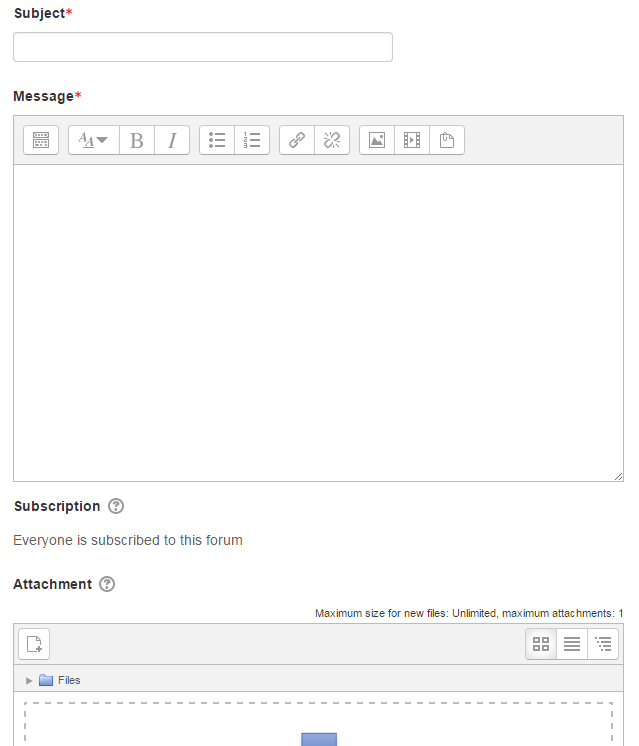 Figure 3