
Watch the video tutorial on YouTube
- In order to make a course visible to students, “Edit settings” button should be clicked in the administration panel after logging into the Moodle system (Figure 1). Administration panel is located at the left bottom corner of the page.
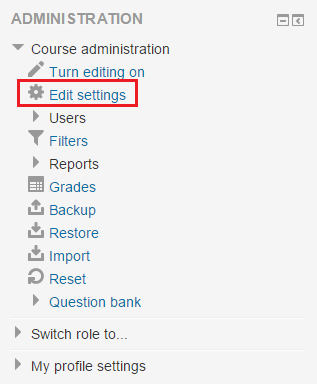 Figure 1
 - Then, "Visible" section can be changed from “Hide” to “Show” (Figure 2).
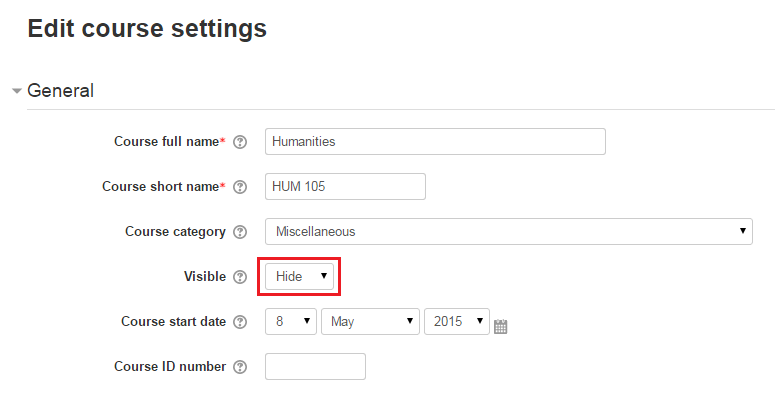 Figure 2
 - After that, “Save changes” button which is located at the bottom of the page should be clicked (Figure 3).
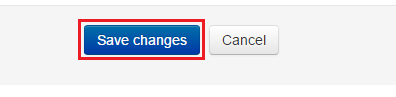 Figure 3