
- First click "Grades" under "Course Administration" (Figure 1)
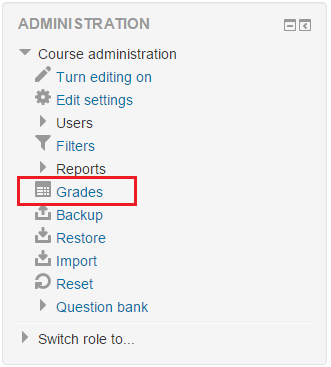 Figure 1
 - Then, change "Grading report" to "Categories and items" under "Setup" section of the top drop down selectbox (Figure 2).
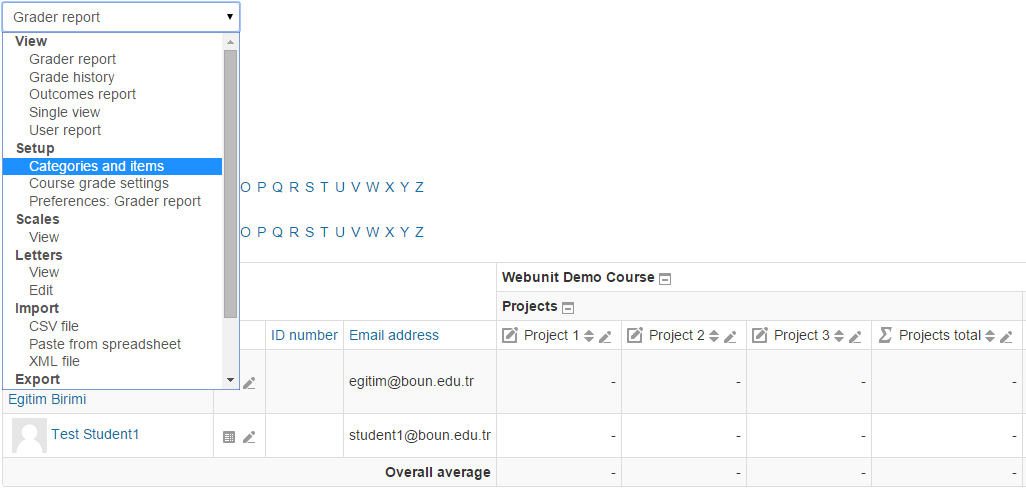 Figure 2
 - After that, click "Add grade item" button (Figure 3).
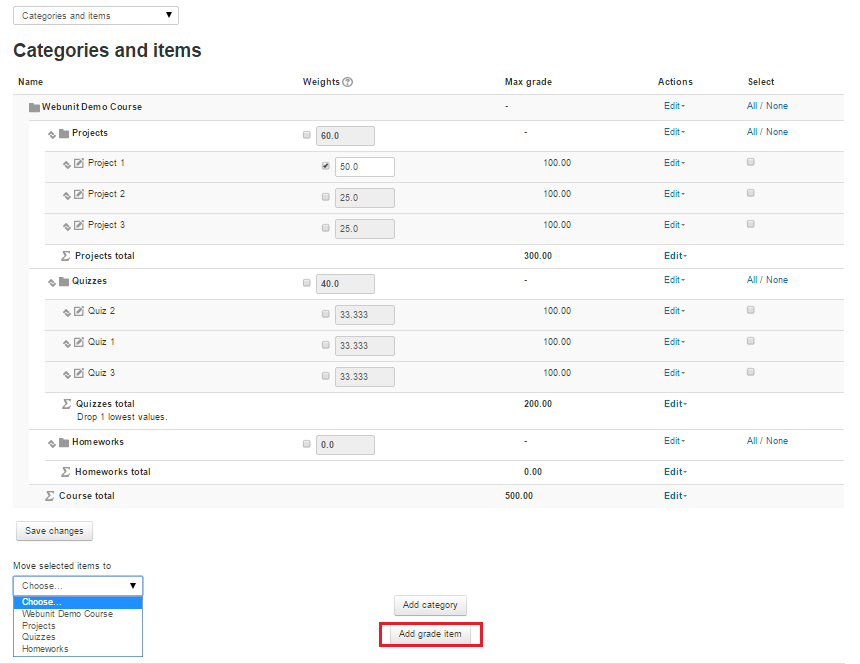 Figure 3
 - On this page enter the "Item name". Under "Parent category" section choose "Parent category" (Figure 4).
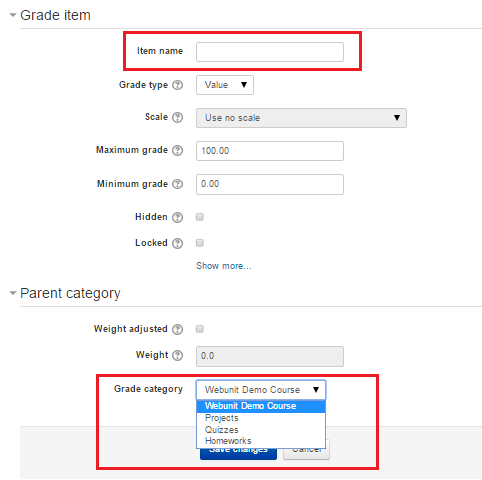 Figure 4
How to Define Grading Items?
First click "Grades" under "Course Administration" (Figure 1) Figure 1Then, change "Grading report" to "Categories and items" under "Setup" section of…