
Watch the video tutorial on YouTube
- In order to activate editing tools, “Turn editing on” should be selected in the administration panel after logging into the Moodle system (Figure 1). Administration panel is located on the left bottom corner of the page.
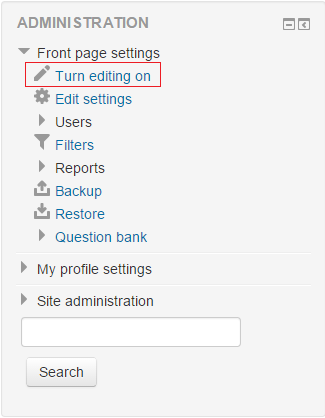 Figure 1
 - In the course page, “+Add an activity or resource” button, which is located at the top of the page or below the related week or topic should be clicked. The link which located at the top of the page
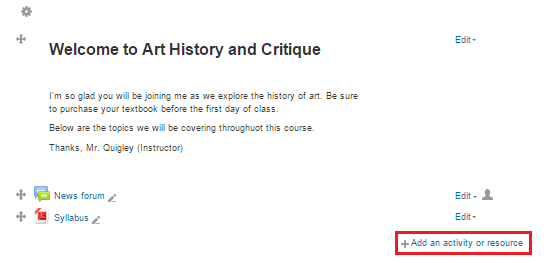 Figure 2 The link below related subject
 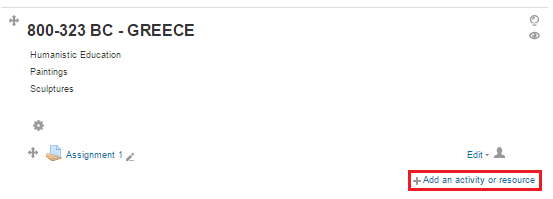 Figure 3
 - At the left part of popup menu (Figure 4), “Forum” button and then “Add” button are clicked.
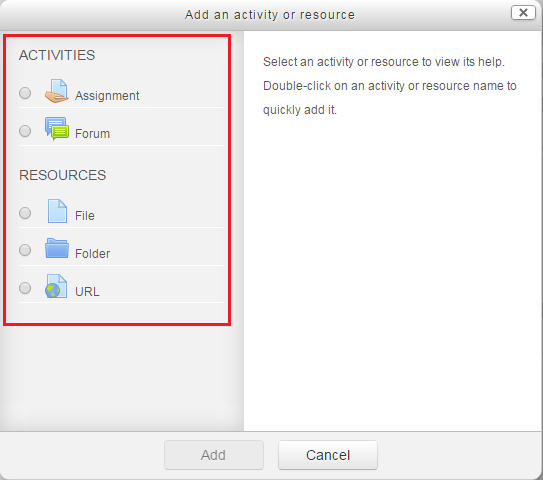 Figure 4
 - Changes that belong to forum are made on the popup window and “Save and display” button is clicked in order to complete the process.