
- First click "Question bank" under "Course Administration" (Figure 1)
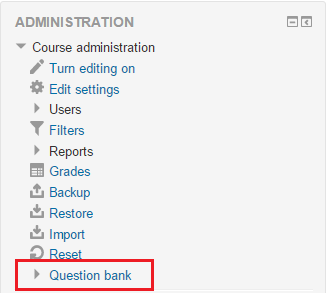 Figure 1
 - Then, click "Create a new question" and choose the question type you wanted to create. (Figure 2) (Figure 3)
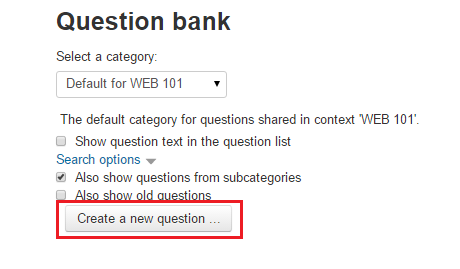 Figure 2
 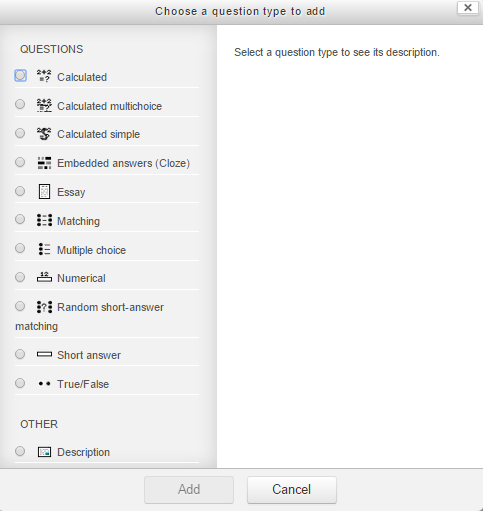 Figure 3
 - You can use those questions in Quizes.
How to Add Questions to Question Bank?
First click "Question bank" under "Course Administration" (Figure 1) Figure 1Then, click "Create a new question" and choose the question type you want…