
- In order to activate editing tools, “Turn editing on” should be selected in the administration panel after logging into the Moodle system (Figure 1). Administration panel is located on the left bottom corner of the page.
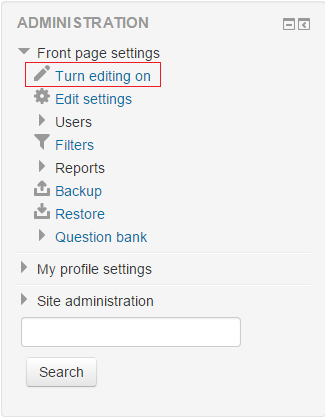 Figure 1
 - First, you need to add Sharing Cart blocks to all courses that you want to share items between. Sharing Cart block can be added from Add A Block section below the Administration block. ( Figure 2 )
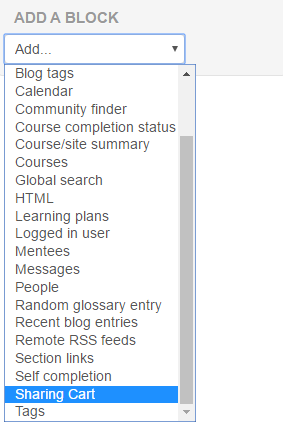 Figure 2
 - After adding Sharing Cart block to a course, you can add course items to the cart by clicking "Edit" on the desired course item and selecting "Copy to Sharing Cart". ( Figure 3 )
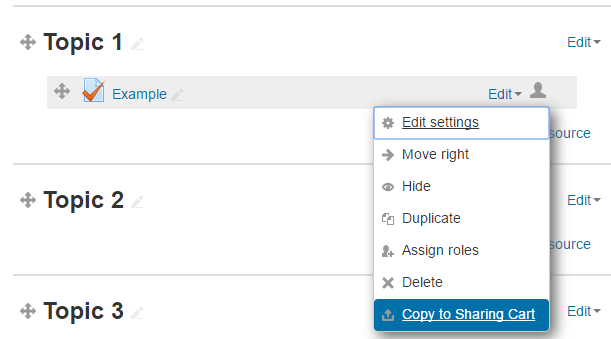 Figure 3
 - On the desired course page that you want to copy items to, click on the "Copy to Course" button from Sharing Cart block to add items to the course. ( Figure 4 )
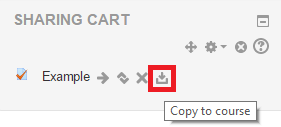 Figure 4
 - You will see many dotted boxes appear in the center column. Choose the location you wish to place your item, and it will be copied there directly. ( Figure 5 )
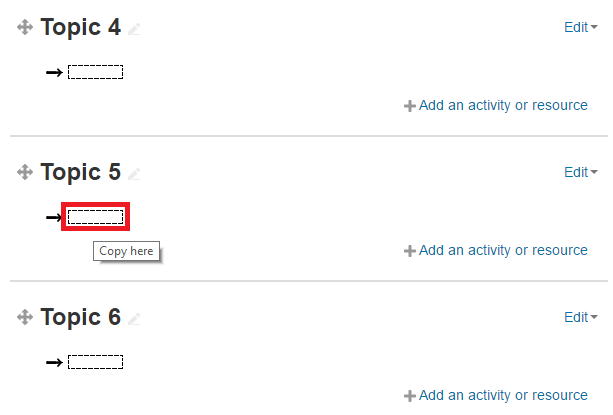 Figure 5
How to Share Items Between Courses?
In order to activate editing tools, “Turn editing on” should be selected in the administration panel after logging into the Moodle system (Figure 1).…