
Watch the video tutorial on YouTube
- In order to activate editing tools, “Turn editing on” should be selected in the administration panel after logging into the Moodle system (Figure 1). Administration panel is located on the left bottom corner of the page.
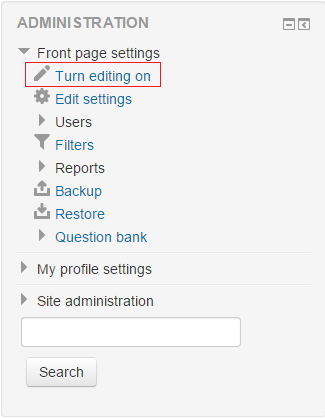 Figure 1
 - In order to change course description, the wheel button at the top of the course page should be clicked.(Figure 2)
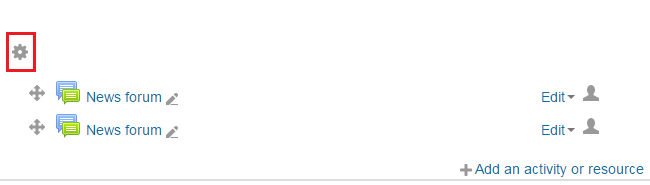 Figure 2