
- First we need to create groups. In order to create groups first click the "Groups" lik on the left menu. ( Figure 1 )
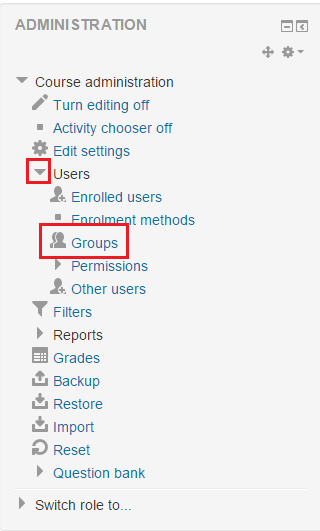 Figure 1
 - Then click "Create group" link. ( Figure 2 ) Link on top of the page
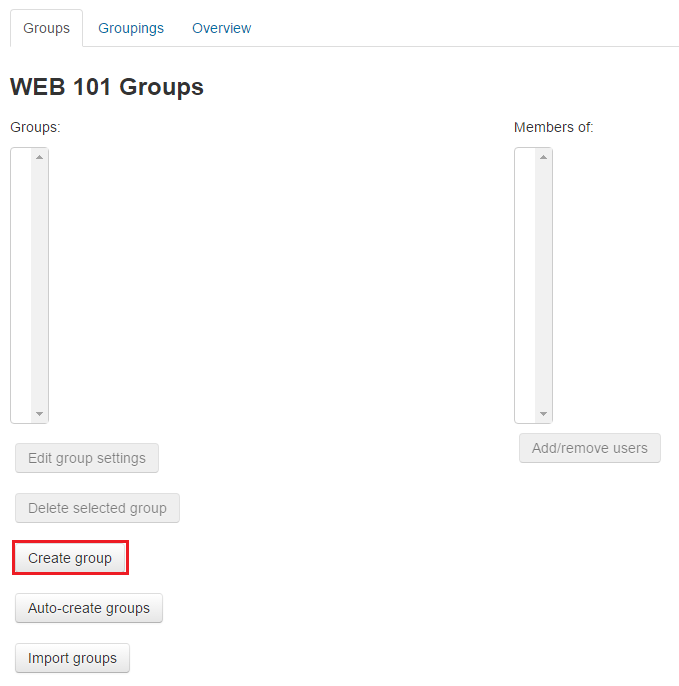 Figure 2
 - Enter the "Group name" and save. Repeat this step for all groups. ( Figure 3 )
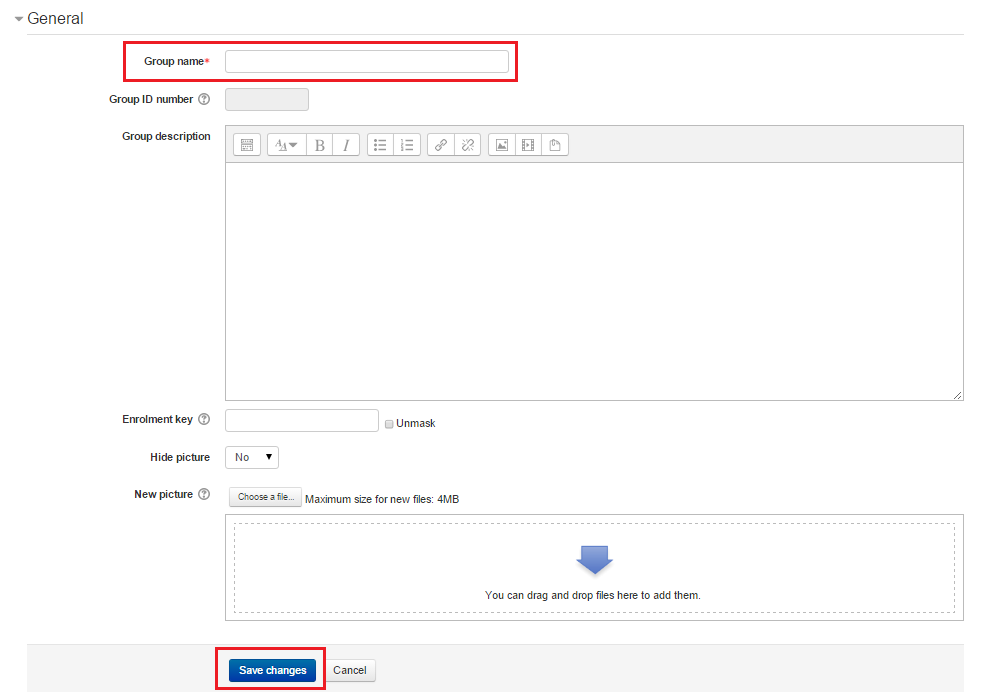 Figure 3
 - Then on the Groups page select the group that you want to add user to and click "Add/remove users" link. ( Figure 4 )
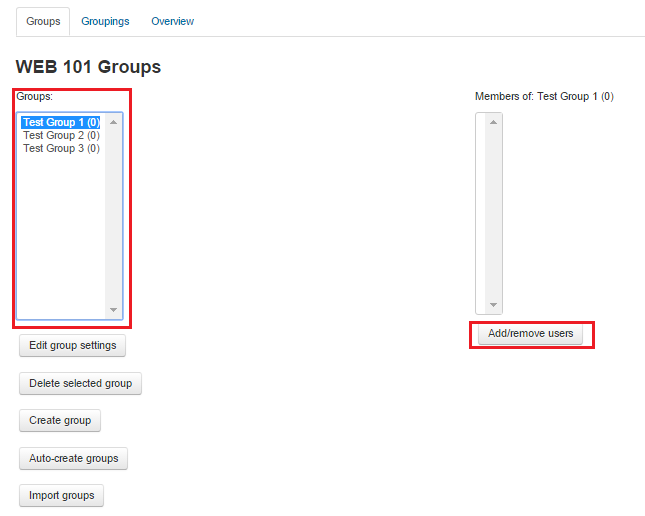 Figure 4
 - On the right side under "Potential members" select the users you want to add to group and click "Add" link. When you are done click "Back to groups" and repeat this step for all groups. ( Figure 5 )
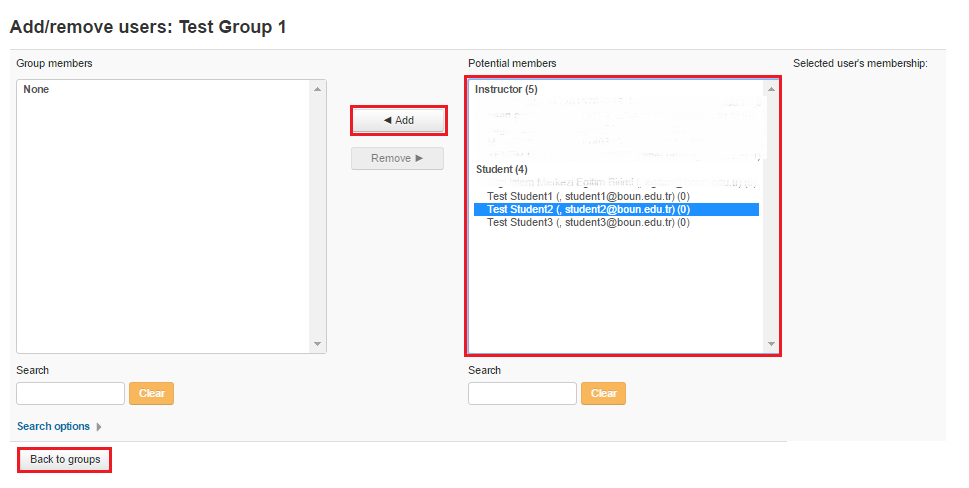 Figure 5
 - Click "Groupings" link and click "Create grouping". ( Figure 6 )
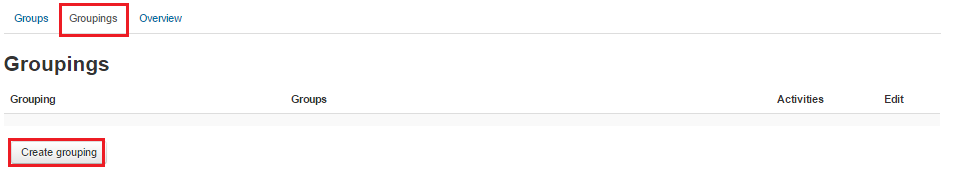 Figure 6
 - Enter "Grouping name" and save. ( Figure 7 )
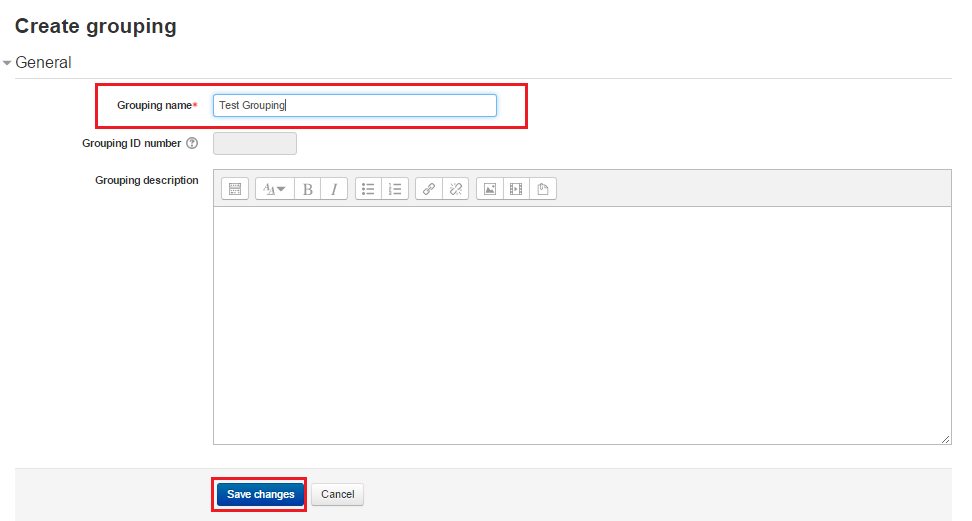 Figure 7
 - Click "Show groups in grouping" link shown in the figure. ( Figure 8 )
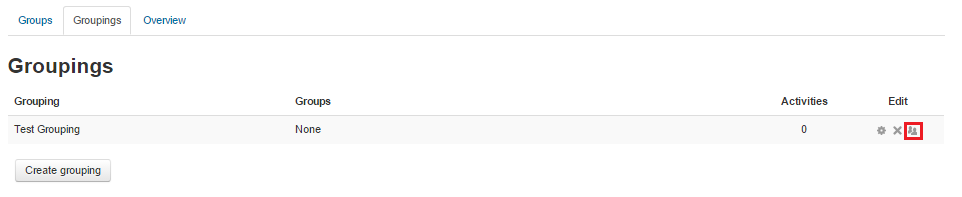 Figure 8
 - On the right side under "Potential members" select the groups you want to add to grouping and click "Add" link. When you are done click "Back to groupings". ( Figure 9 )
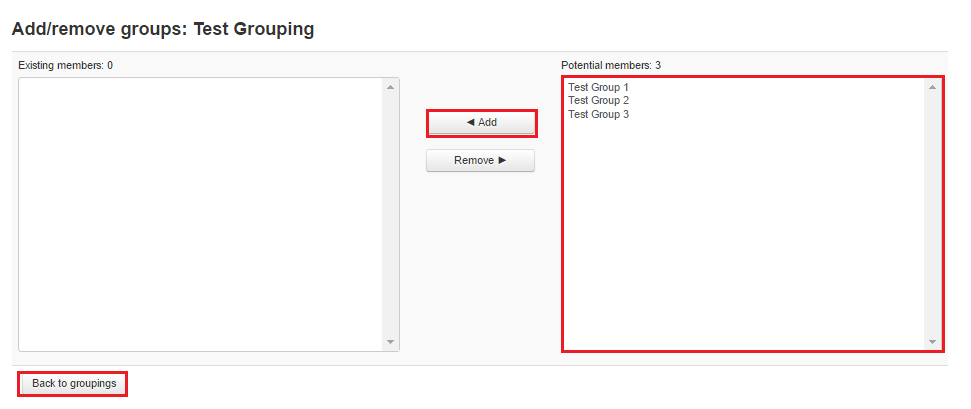 Figure 9
 - Create forum following steps in "8. How to create a forum?" except on the "Adding a new Forum" page under "Common module settings" select "Group mode" as "Seperate groups" if you do not want the group forums to see each other or select "Visible groups" if you want the group forums to see each other but can only post on their own forums. Then select the "Grouping" you created on previous steps and save. ( Figure 10 )
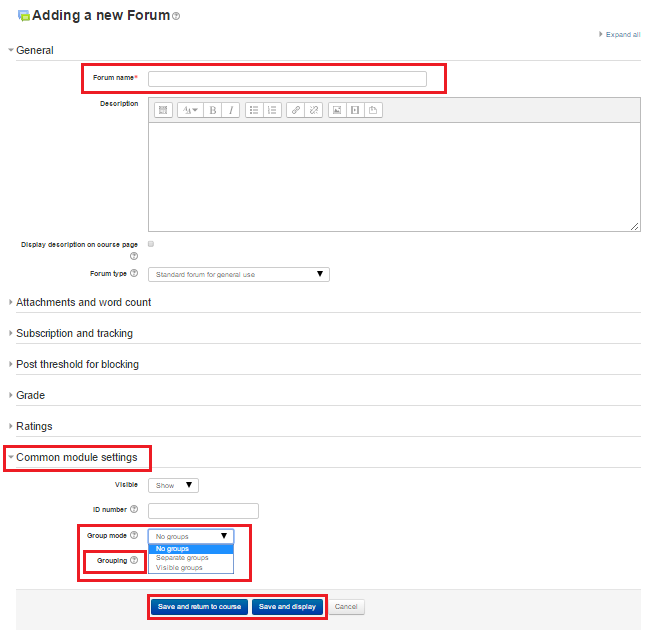 Figure 10
How to Create Group Forums?
First we need to create groups. In order to create groups first click the "Groups" lik on the left menu. ( Figure 1 ) Figure 1Then click "Create group…